companies I started
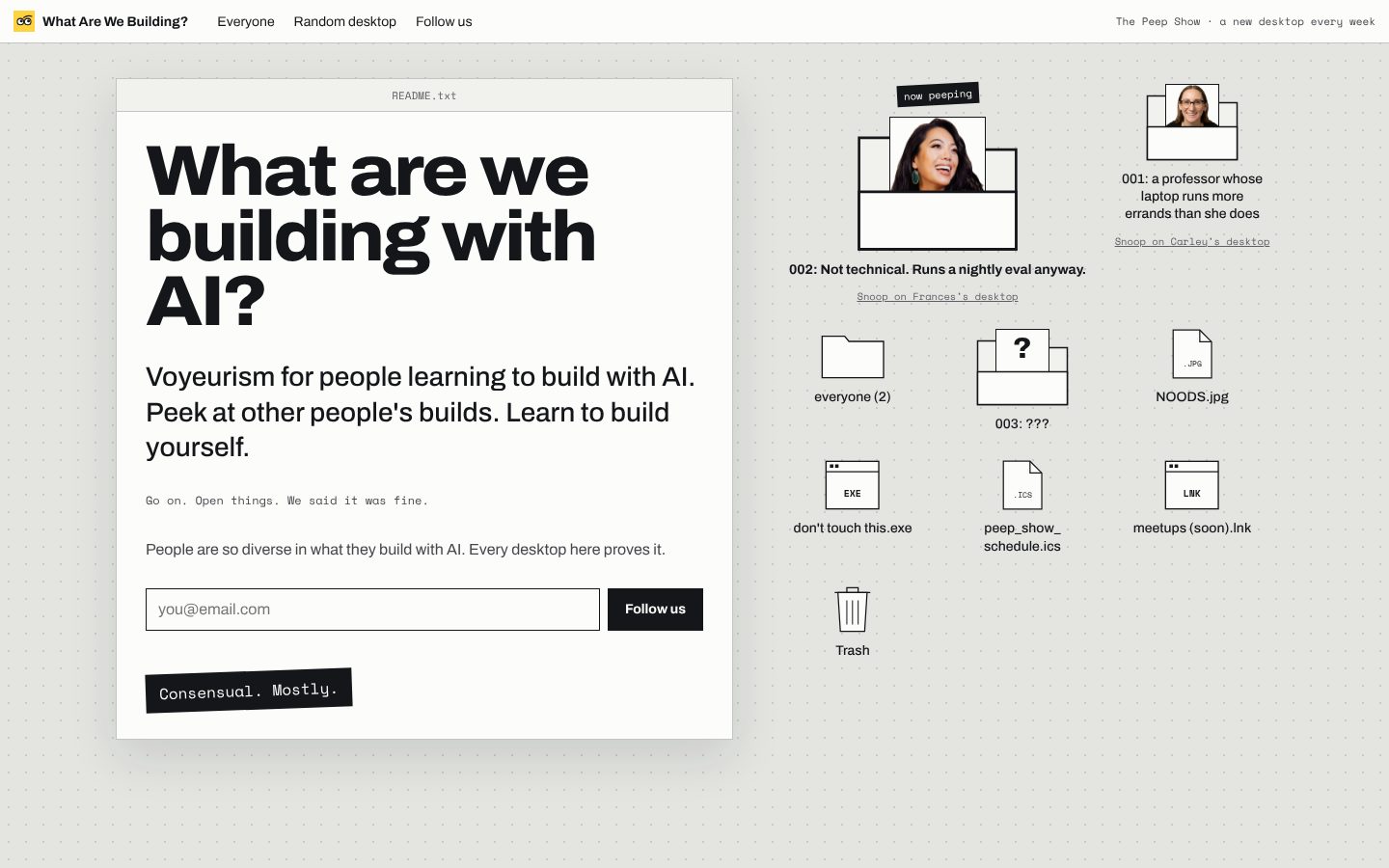 the website you are snooping on right now.html
What Are We Building
A media site that publishes one person's AI desktop a week: everything they build with AI, how they did it, and how you could try it yourself. Guests don't fill in a form. Their own AI interviews them and drafts the profile, and Frances and I turn it into a desktop you can snoop through. It's for people learning to build with AI who want to see what real people actually make.
The story
I've been starting projects with AI since February: a kids' brand, a bus campaign, a baking log, a trip planner for a month abroad. I love working on a million things at once, and I wanted to share all of it. But what I really wanted was to see what everyone else was building. Not polished case studies, the real stuff: the half-finished apps and the scripts that email your family.
Frances and I ran AI Trailmates, a free community for people teaching themselves AI. The best part was always members showing each other what they'd made. So when it ended, we kept that part. What Are We Building puts one person's whole desktop online each week, so you can snoop through what they build, how they built it, and how you could try it yourself.
- Launched
- September 2026
A few tips
- Guests don't fill in a form. Their own AI writes the first draft, because it already knows what they've built.
- Every change gets its own preview link, so I check it on my phone before it goes live.
- The site refuses to publish a profile written in the third person, so the voice can't drift.
Related files on my desktop
Tools I used for this project

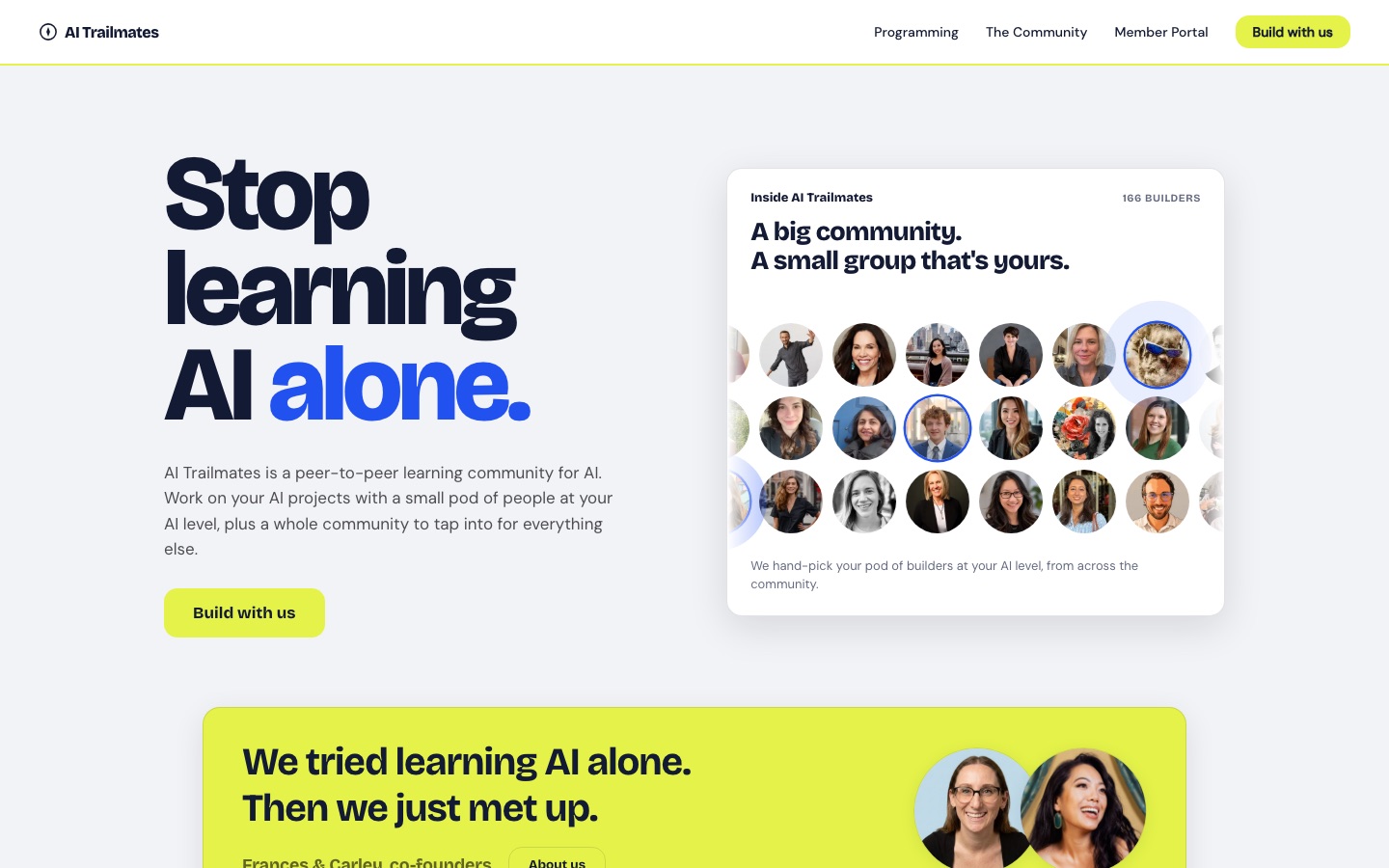 a club for people who google "what is an API" at 11pm
AI Trailmates
Shut down in September 2026.
A free program and community for non-technical knowledge workers teaching themselves AI without a technical partner or a community. It had self-hosted signup forms, a member portal, a skill-based group matcher, a locked email template and a Slack coach. It came before What Are We Building, and turned into it.
The story
Frances and I tried learning AI alone. Then we just met up, and it worked so much better that we built a community around it. AI Trailmates started in April 2026 as a free, peer-to-peer community that put people at the same AI level into small groups, so nobody had to learn alone. It grew to 166 builders.
Running it taught us that the best part was people showing each other what they had built. In September we shut it down and kept that part: it turned into What Are We Building.
- Launched
- April 2026
A few tips
- I built my own signup forms (a web page, a small server function and a database) instead of using a form tool, so every signup landed in a database I own.
- Shrink photos when people upload them. Member headshots alone used up our free database bandwidth.
- Lock one email template. Three different looks went out in one week before we did.
Related files on my desktop
Tools I used for this project



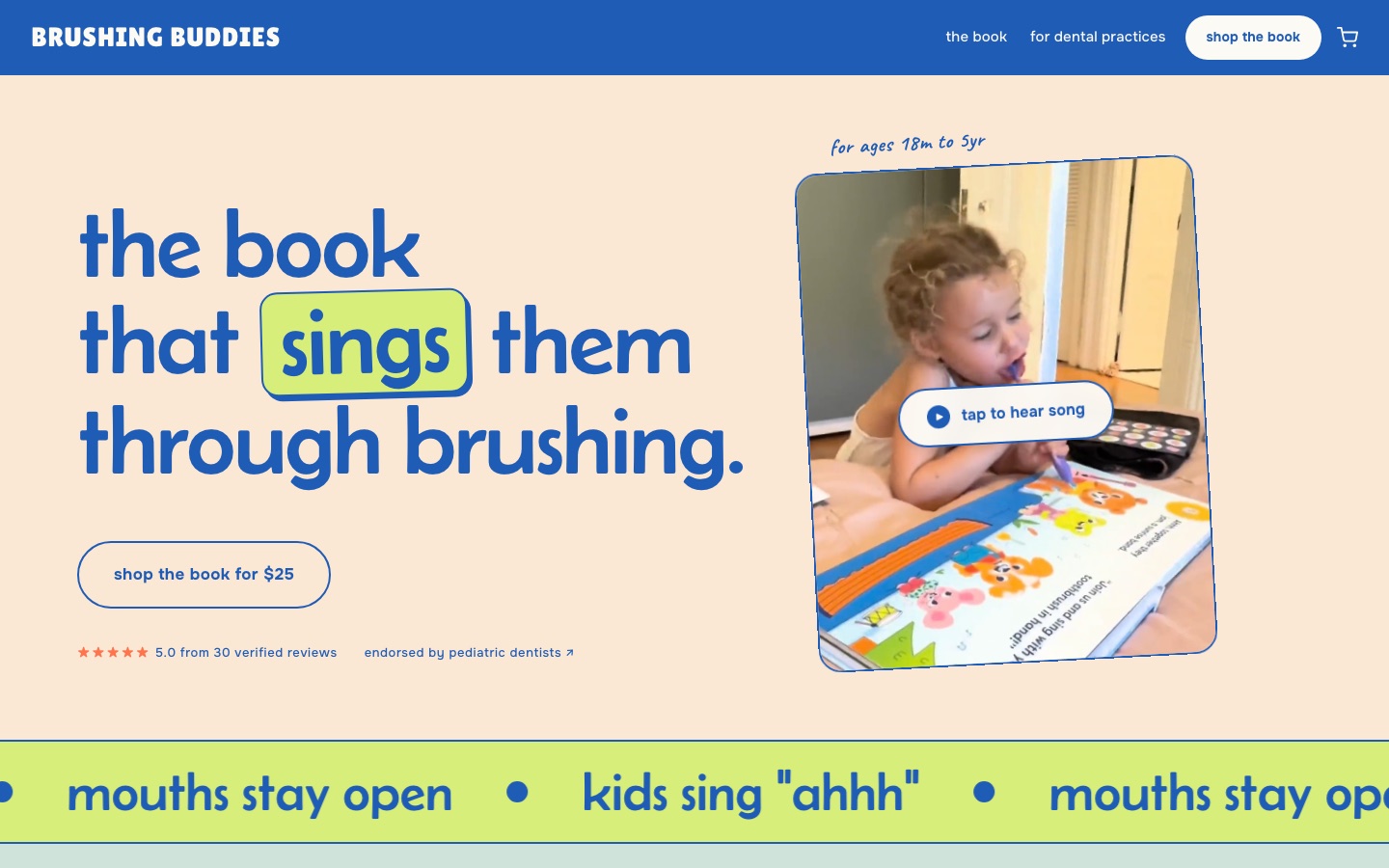 a musical about teeth.mp3
Brushing Buddies
A children's oral-health brand built around a sing-along musical board book for ages 18 months to 5 years. Kids sing along while they brush, so their mouths stay open and brushing lasts. I rebuilt the whole store and its design with AI.
The story
A month before I rebuilt it, I was close to shelving Brushing Buddies. I had spent $2,100 and 18 months on a website that looked like a template with my photos dropped in, and I didn't want to put any more time or money into the brand.
Then Anthropic released Claude Design, and I rebuilt the whole site in two weeks, mostly by talking to my computer. It finally looked professionally designed, and it brought life back into a project I'd been working on for two years. The post linked above walks through exactly how, with the full prompt.
- Launched
- January 2025, rebuilt with AI in spring 2026
A few tips
- Talk to your AI instead of perfecting your prompts. At least 95% of my work with Claude was me talking.
- I edit the store's design through Shopify's command line with Claude, so every change is a file I can preview before it goes live, not a click in an editor.
- A "can't check out" report turned out to be dead old links, not checkout. Check your links before you debug the checkout.
Related files on my desktop
Tools I used for this project
 Shopify: Runs the store. I rebuilt the theme through its command line.
 Claude Design: Found the new look and designed the pages.
 Claude Code: Rebuilt the store design with me, section by section.
 Wispr Flow: I talked instead of typing. At least 95% of the work was voice.
 PostHog: Shows where shoppers drop off before checkout.
public good
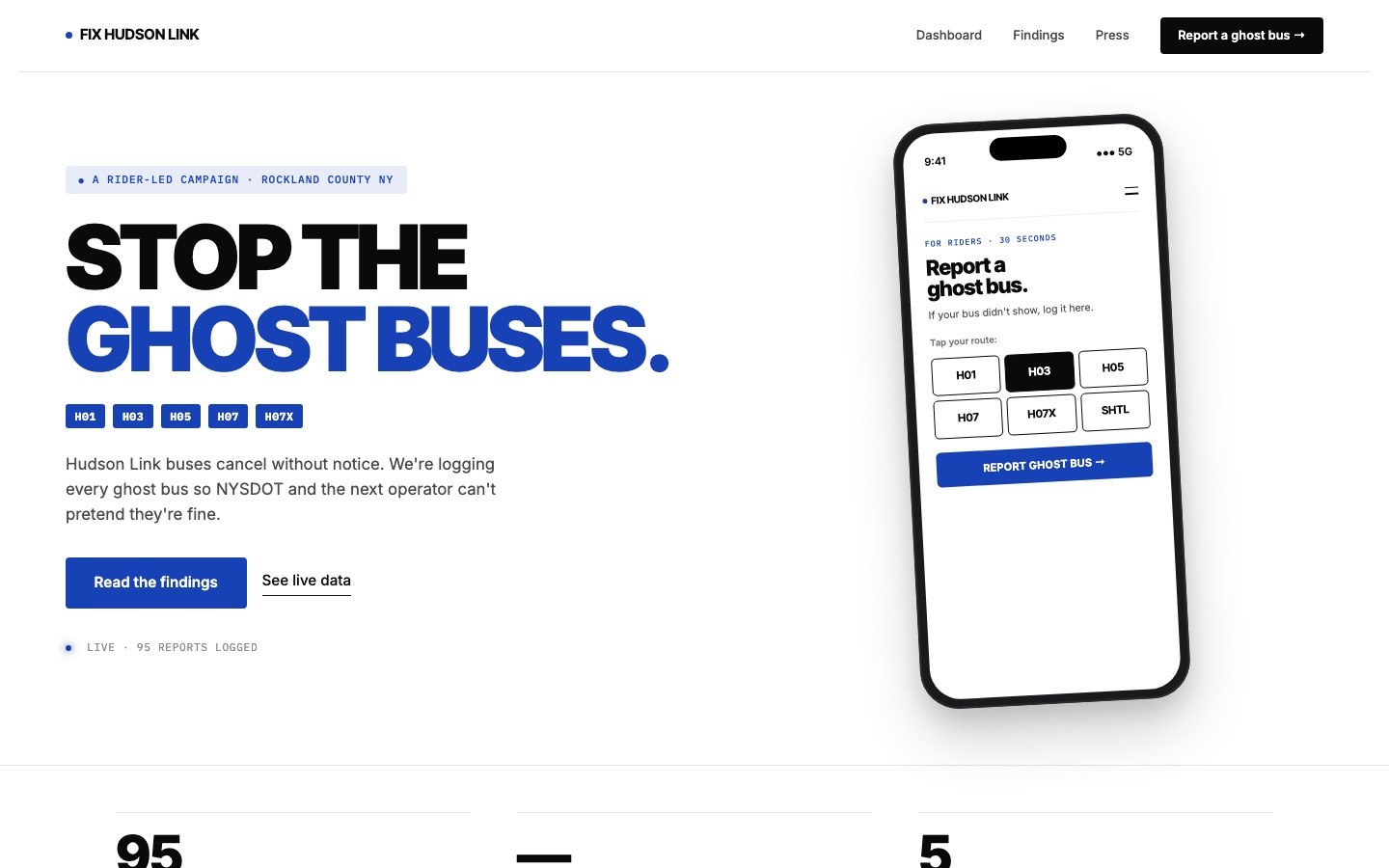 picking a fight with the state DOT using a spreadsheet.csv
Fix Hudson Link
A rider-led campaign site for my county's bus line. Riders log a late or missing bus in under 30 seconds, email the operator and the state in one tap, and see a measured reliability baseline built from their reports.
The story
My county bus line kept not showing up. When a new operator took over in April 2026, riders lost real-time bus information entirely, so nobody could prove how bad it was.
So I built a place for riders to log every ghost bus and send it straight to the people in charge, and filed a public records request for the official numbers. Riders have logged 95 ghost buses so far.
- Launched
- April 2026
A few tips
- Give people one tap to email the people in charge, filled in from their own report.
- Ask for the official numbers with a public records request. It costs nothing but patience.
- My first bus tracker was built on a data feed that never existed. Check that your data source is real before you build on it.
Tools I used for this project
Claude Code: Built the site and the ghost bus report form. Netlify: Hosts the site.a scrapera FOIL request
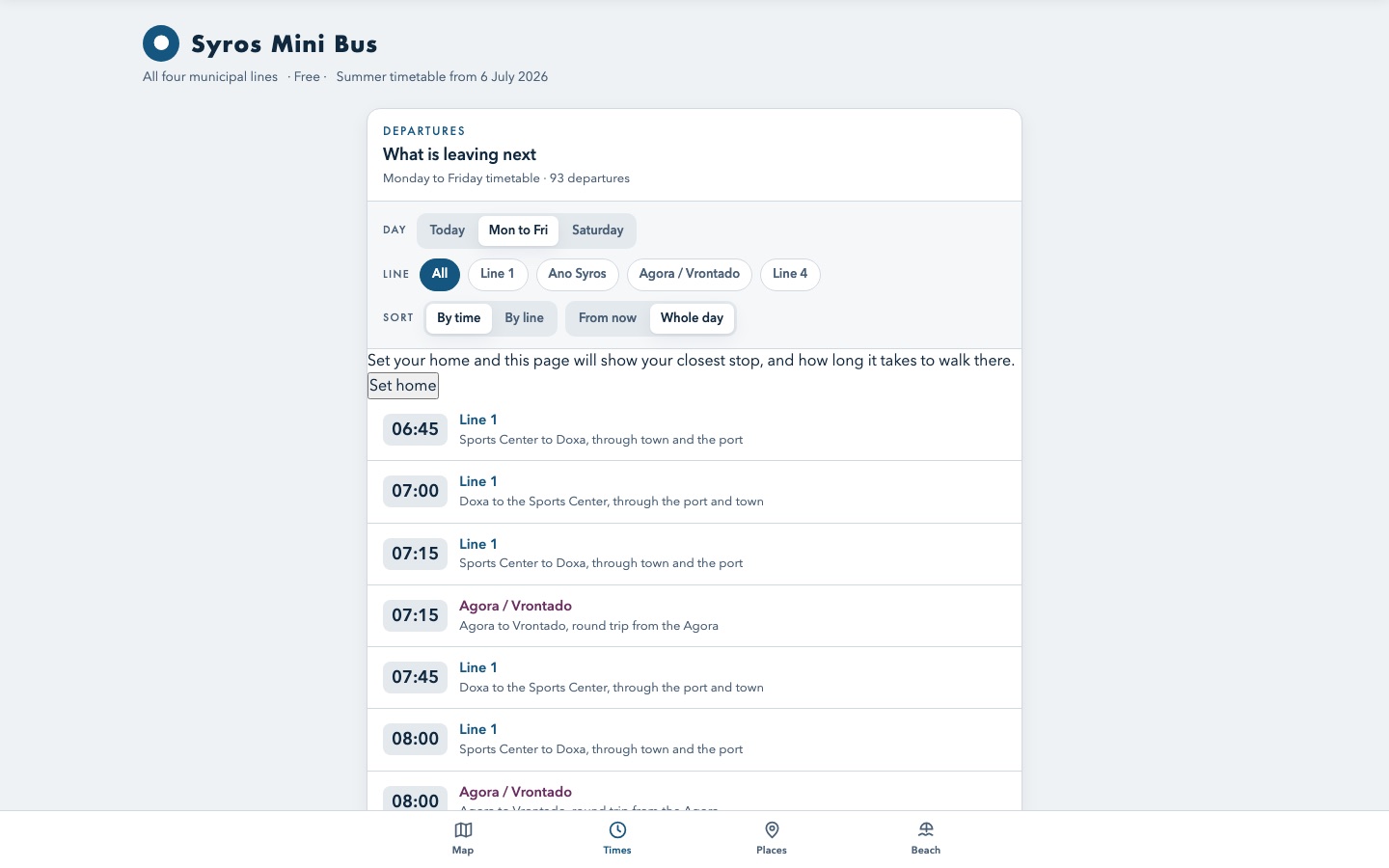 I translated an island's bus timetable because I could not read it.html
Syros Mini Bus
A free web app that translates a Greek island's mini bus timetables into English, adds the regional bus, maps every stop, and works with no signal.
The story
We spent August on a Greek island with our kids. The free mini buses were the best way to get around, but every timetable was posted only in Greek, and the stops often had no signal.
So I photographed the timetables and had Claude turn them into one English app that works offline. Then I shared it with about 30 families we met there.
- Launched
- August 2026
A few tips
- Claude can read a photo of a printed timetable, even one in another language.
- Make it work offline if people will use it standing at a bus stop.
- Save your code somewhere real right away. My first commit is called "rescue the source out of the session scratchpad."
Tools I used for this project


work
drafts my NYU email replies (never sends).app
NYU email assistant
Drafts replies in my work inbox in my voice, keeps a to-do list of what only I can do, and queues tasks Claude can run when I say so. It never sends.
- How long
- Set up September 2026
How I built it
- Wrote a voice guide: how I write emails, in my own words, with examples.
- Connected Claude to my work Gmail through Composio, set to read and write drafts only.
- Every hour on weekdays it drafts replies and labels what only I can answer.
- It never sends. I read each draft and press send myself.
- To copy it you need
- Claude, or the AI of your choice with a Gmail connection set to read and draft only, and a short guide to how you write.
Try it yourself
I want to copy a setup from Carley Hart's desktop on whatarewebuilding.ai/carley: an email assistant that drafts replies in my work inbox in my voice and never sends anything. Hers works from a written voice guide, checks the inbox every hour on weekdays, writes drafts, and labels the emails only she can answer. The safety rule: the AI can read and draft, but only a human presses send. Start by asking me for 5 emails I've written and write my voice guide. Then show me how to connect you to my email so you can only read and draft. Ask me for anything you need.
Tools I used for this project



builds my class slides and handouts every week.pptx
The classroom stack
Visit nyu-guest-critic.netlify.app
Slide decks, printable class packets, attendance logs, course modules and a guest-critic sign-up site for two sections of an innovation course.
- How long
- Rebuilt every week since fall 2026 started
Tools I used for this project

I say "process my inbox" and my to-do list sorts itself.md
Process my inbox
When I say "process my inbox," Claude sorts everything I captured on my phone: tasks get a project and a day, events go on my calendar, post ideas go to my content list, and groceries go to the grocery list.
- Why
- I capture in bursts and never want to organize. I capture and glance; Claude does the sorting.
- How long
- Set up May 2026
How I built it
- Made one Notion task list where every quick capture from my phone lands with no date. An empty date means it's still in the inbox.
- Wrote the routing rules into my Claude instructions: a task, a calendar event, a post idea, a grocery item, or ask me.
- Now I say "process my inbox" and Claude sorts each item, gives every task a project and a day, and puts events on my calendar.
- It ends with a short summary of what went where, and anything it needs me to decide.
- To copy it you need
- Claude, or the AI of your choice, connected to your to-do list and calendar, and one short list of where each kind of capture should go.
Try it yourself
I want to copy a setup from Carley Hart's desktop on whatarewebuilding.ai/carley: a "process my inbox" routine. She captures everything on her phone into one to-do list with no date, and when she says "process my inbox," her AI sorts each item: tasks get a project and a day (today, this week, next week or a holding tank), events go on the calendar, post ideas go to a content list, groceries go to a grocery list, and anything unclear gets asked. It ends with a short summary. Help me set up the same thing with the tools I already use. Start by asking where I capture things today and what my calendar and to-do apps are. Ask me for anything you need.
Tools I used for this project



after every class, I answer a few questions and my course site updates.md
Post-class close-out
After every class I teach, Claude walks me through a short debrief, then builds a hidden "Posted after class" folder on the course site with the slides and anything else from that session. I check it and make it visible myself.
- Why
- So students can find what happened in class without hunting, and I never forget to post it.
- How long
- After every class since September 2026
How I built it
- After class I tell Claude I'm closing out the session, and it asks me a few questions about what we covered and what changed.
- It makes a student copy of my slides with the hidden slides, name cards and attendance taken out, and saves it as a PDF.
- It creates a hidden "Posted after class" folder in that session on Brightspace, our course site, and uploads the PDF and anything else from class.
- Nothing goes live on its own. I look it over and make the folder visible myself.
- To copy it you need
- Claude, or the AI of your choice, with browser access to your course site, and your slides in Google Drive.
Try it yourself
I want to copy a setup from Carley Hart's desktop on whatarewebuilding.ai/carley: a post-class close-out. After each class, her AI asks her a few debrief questions, makes a student copy of the slides with hidden and admin slides removed, saves it as a PDF, and puts it in a hidden "Posted after class" folder on the course site for her to check and publish. Her rule: the AI builds, a human publishes. I teach [course] on [course platform]. Start by asking me what I post after each class, then walk me through doing it together once. Ask me for anything you need.
Tools I used for this project

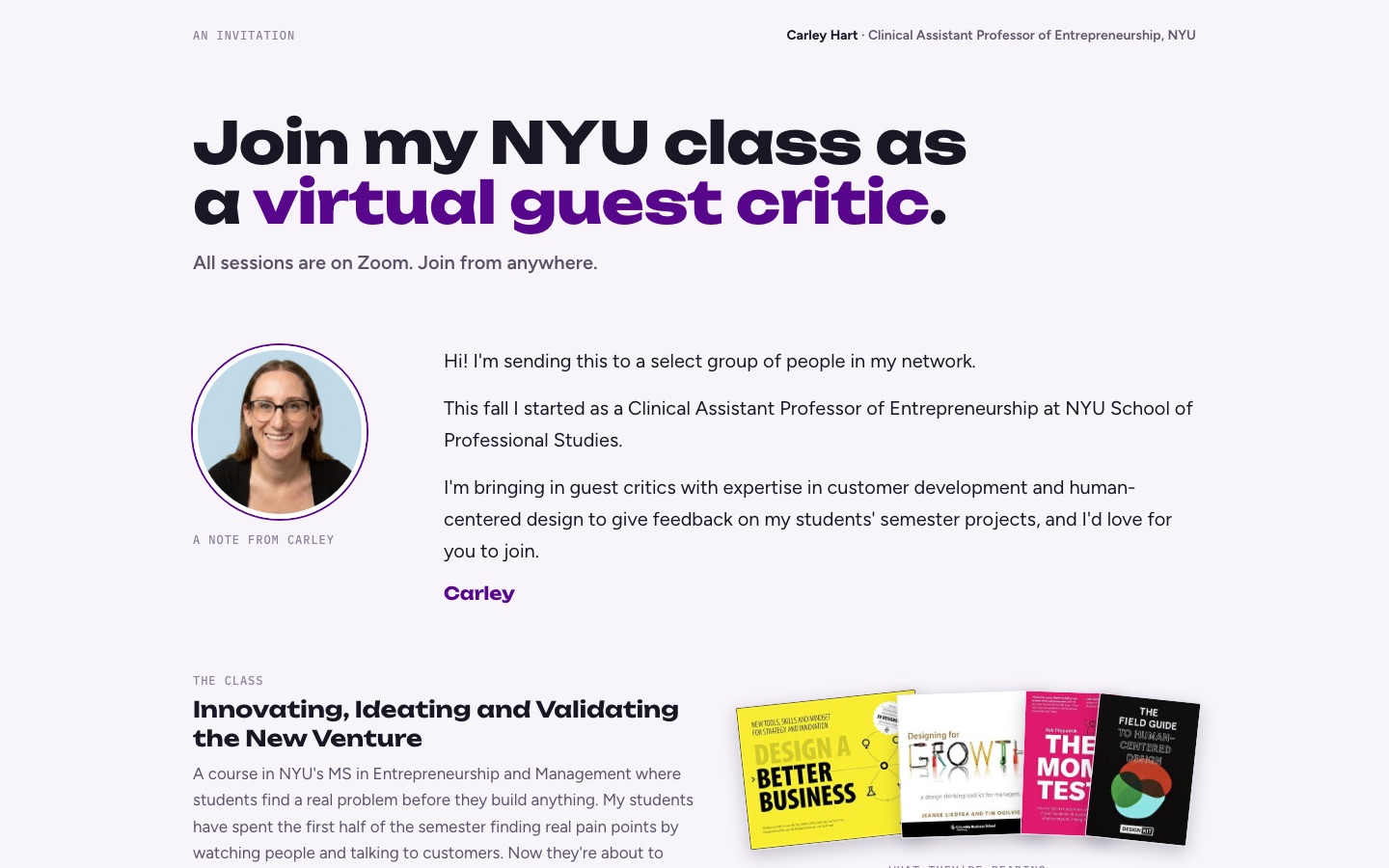 a sign-up page for mentors who give my students feedback.html
Guest critic sign-up
Visit nyu-guest-critic.netlify.app
A sign-up site for guest critics: mentors pick office-hour slots in their own time zone and how many student teams they can meet, so my students get feedback from people outside the classroom.
- Why
- So every student team gets feedback from real founders and operators, without me scheduling dozens of calls by hand.
- How long
- Built September 2026
How I built it
- Designed the invitation page with Claude and kept editing it until it read like a personal note.
- Asked Claude Code for a sign-up form: name, LinkedIn, expertise, and a grid of open times shown in each mentor's own time zone, with my class hours blocked out.
- Each sign-up saves on Netlify, so there's no database to run.
- I sent the link myself, by LinkedIn and text, to people I know.
- To copy it you need
- Claude, or the AI of your choice, and a free Netlify account.
Try it yourself
I want to copy a setup from Carley Hart's desktop on whatarewebuilding.ai/carley: a sign-up page where mentors volunteer to give students feedback. Hers shows each mentor a grid of open times in their own time zone, blocks out class hours, asks how many teams they can meet and for their LinkedIn, and saves each sign-up without a database. I'm running [program] and need [number] mentors between [dates]. Build me a simple version I can share with a link. Ask me for anything you need.
Tools I used for this project
two folders of notes every AI I use reads first.md
Two shared brains
Two Obsidian vaults of plain notes: a private one for my life and work, and one I share with my co-founder. Every AI tool I use reads them first, so I never re-explain my context.
- Why
- I was re-explaining the same context to every AI tool, every session. Now they all start from the same notes.
- How long
- Since spring 2026, split in two in July 2026
How I built it
- Kept my notes as plain text files in Obsidian, sorted into projects, areas and an archive.
- Gave every AI tool one instruction: read these notes first, and write new decisions back.
- Split them in two in July: everything for our company moved to a vault I share with Frances, and my personal notes stayed private.
- The shared one is backed up on GitHub, so both of us and every AI read the same version.
- To copy it you need
- Obsidian (free), Claude, or the AI of your choice, and a few minutes of setup.
Try it yourself
I want to copy a setup from Carley Hart's desktop on whatarewebuilding.ai/carley: a folder of plain notes that every AI tool reads first, so you never re-explain your context. She keeps one private vault and one shared with her co-founder, and every AI writes new decisions back into it. Help me start one: ask me about my work and projects, then write my first five notes and the one instruction I should give every AI tool so it reads them first. Ask me for anything you need.
Tools I used for this project
my AI already read the meeting notes and the Slack thread.md
Meeting notes and Slack, already read
My AI reads my meeting notes from Granola and my Slack conversations directly, so it's caught up on what we decided before I ask.
- Why
- Decisions were scattered across calls and chats. Now my AI knows what happened without me copying anything in.
- How long
- Set up September 2026
How I built it
- Granola takes notes on my calls.
- Connected Claude to Granola and Slack through Composio, so it can read both.
- When I start a session, Claude checks the latest calls and messages before it answers.
- After a voice note in Slack, I tap Generate Transcript so Claude can read it too.
- To copy it you need
- Granola, Slack, Claude, or the AI of your choice, and a connector like Composio.
Try it yourself
I want to copy a setup from Carley Hart's desktop on whatarewebuilding.ai/carley: her AI reads her meeting notes and her Slack conversations directly, so it's caught up before she asks. She takes call notes with Granola, connects her AI to Granola and Slack through a connector, and has it check the latest before answering. Her tip: after a voice note in Slack, tap Generate Transcript so the AI can read it. Help me set up the same with the meeting-notes and chat tools I use. Ask me for anything you need.
Tools I used for this project

home, family and fun
emails us two weeks before the kids have a day off school.cron
School day-off alerts
Emails both parents 14 days before either kid's first day off school, and says what the other kid is doing that day.
- Why
- To know early whether it is a childcare gap or a shared day off.
- How long
- Built August 2026
How I built it
- Got both kids' school calendars into Google Calendar. Most schools post a calendar link on their website: in Google Calendar, choose Other calendars, then From URL, and paste it.
- Asked Claude Code for a short Python script that reads both calendars for the next 14 days and finds days off. Tentative events don't count: one once flagged a petting zoo as a day off.
- Had the script email both of us through Gmail, naming the day off and what the other kid is doing that day.
- Put it on GitHub and let GitHub Actions run it every morning for free, so nobody has to remember to check. I set the time zone inside the script: when we traveled, it was the only scheduled job that didn't fire seven hours early.
- To copy it you need
- Claude, or the AI of your choice to write the script, a Google account with the school calendars in it, and a free GitHub account to run it every morning.
Try it yourself
I want to copy a setup from Carley Hart's desktop on whatarewebuilding.ai/carley: a daily check that emails both parents two weeks before either kid has a day off school, and says what the other kid is doing that day. Here is how hers works: both school calendars are subscribed in Google Calendar. A short Python script reads the next 14 days and looks for days off (it skips "tentative" events, after one counted a petting zoo as a day off). It emails both parents through Gmail, and GitHub Actions runs it free every morning. I have never written code. Walk me through building the same thing for my family one step at a time, starting with getting my kids' school calendars into Google Calendar. Ask me for anything you need.
Tools I used for this project
how I use AI to perfect my baking recipes.md
Baking Lab
How I use AI to perfect my baking recipes. Every recipe is a text file in one repo, with a phone app to log a bake or fix a number at the oven.
- Why
- So edits from the kitchen and edits from the laptop are the same edits on the same files.
- How long
- Started July 2026, phone app live September 2026
How I built it
- Kept every recipe as a plain text file in one GitHub folder, with the amounts and my notes on what to change next time.
- Asked Claude Code for a site that reads those files and shows each recipe.
- Added a phone page so I can log a bake or fix a number right at the oven.
- Every edit from the kitchen saves as a change to the same files, so my phone and laptop never disagree.
- To copy it you need
- Claude, or the AI of your choice, a free GitHub account and a free Netlify account.
Try it yourself
I want to copy a setup from Carley Hart's desktop on whatarewebuilding.ai/carley: a baking log where every recipe is its own text file, with a phone page to log a bake or fix a number right at the oven. Because every version and note lives in the same files, the AI can compare bakes and help perfect a recipe. Her tip: flag any number you're not sure of and check it in the kitchen instead of guessing. Ask me for three of my recipes, set them up as files, and show me how to log my next bake from my phone. Ask me for anything you need.
Tools I used for this project
how my husband and I shop for furniture.html
Hart House Finds
One page of real furniture listings where my husband and I mark Love or Pass, and "find more" hunts for things like the Loves.
- Why
- Furnishing rooms without scrolling ten stores.
- How long
- Built in one day, September 2026
How I built it
- Shared our Pinterest boards with Claude so it could learn what we both like.
- Asked Claude to find real listings we could buy now and put them on one page, with a photo, price and link for each.
- My husband and I each mark Love or Pass.
- "Find more" sends Claude looking for things like the Loves.
- To copy it you need
- Claude, or the AI of your choice with web search, and a Pinterest board or a few photos of things you like.
Try it yourself
I want to copy a setup from Carley Hart's desktop on whatarewebuilding.ai/carley: one page of real furniture listings where my partner and I each mark Love or Pass, and the AI finds more like the Loves. Her lesson: her AI built a whole shared tool first when she just wanted furniture, so start with listings, not software. I'm looking for [piece] for [room], budget [amount]. Here are photos or links of things we like. Find 10 real listings I can buy now and put them on one page with a photo, price and link for each. Ask me for anything you need.
Tools I used for this project

our family vacation has a login screen.app
Hart family trip tracker
A private, phone-first site for a month abroad: itinerary, bookings, to-dos, budget and packing lists. Both parents edit it, and Claude plans against the same data and a written how-we-travel profile.
- Why
- Rule one of how this family travels: never rushing.
- How long
- Built and live in one day, July 2026
How I built it
- Wrote a one-page how-we-travel profile with Claude: our pace, what the kids need, and what we never do.
- Asked Claude Code for a phone-first site with tabs for itinerary, bookings, to-dos, budget and packing.
- Stored everything in Supabase, a free online database, so my husband and I edit the same data from our phones.
- When plans change, Claude replans the days against the same data and the travel profile.
- To copy it you need
- Claude, or the AI of your choice, plus free Supabase and Netlify accounts. One afternoon.
Try it yourself
I want to copy a setup from Carley Hart's desktop on whatarewebuilding.ai/carley: a private, phone-first trip planner both parents edit, with tabs for itinerary, bookings, to-dos, budget and packing. Hers starts with a one-page how-we-travel profile (pace, what the kids need, what the family never does), and whenever plans change, the AI replans against that profile and the same trip data. Her lesson: a whole leg of her trip got cut days before leaving, so keep the itinerary easy to rebuild. Start by interviewing me to write our how-we-travel profile for [trip, dates, who's coming]. Then build a simple version I can share with my travel partner. Ask me for anything you need.
Tools I used for this project
an outdoor kitchen I designed with AI (not built yet).html
Outdoor kitchen plan
A full plan for a DIY outdoor kitchen: an L-shaped layout drawn to scale, every material picked, the grill and fridge measured in, and a budget of $1,580 to $2,630. Designed, not built yet.
- Why
- It would be my first big build, so I wanted every measurement decided before buying anything.
- How long
- Designed in 2026
How I built it
- Collected inspiration photos and told Claude what we wanted: seating, a grill, a fridge and a pizza oven.
- Claude drew a to-scale, top-down layout: a 10-foot bar and an 8-foot grill wing in an L.
- Worked through the decisions one at a time: steel studs and cement board instead of cinder block, one 33-inch counter height, a poured concrete top.
- It priced everything at $1,580 to $2,630. We haven't built it yet.
- To copy it you need
- Claude, or the AI of your choice, the measurements of your space, and a few inspiration photos.
Try it yourself
I want to copy a setup from Carley Hart's desktop on whatarewebuilding.ai/carley: designing a DIY outdoor kitchen with AI before buying anything. She gave her AI inspiration photos and a wish list, got a to-scale top-down layout, made the material decisions one at a time, and ended with a budget range. My space is [measurements] and I want [grill, seating, fridge, anything else]. Start by asking me questions one at a time, then draw me a simple top-down layout. Ask me for anything you need.
Tools I used for this project
how I cleared 100,000 emails without losing the ones that matter.app
Old inbox cleanup
I freed up a full, old Gmail account. Claude deleted more than 100,000 promo and social emails in bulk, then put the emails with big attachments on one page where I tick which ones go, so real personal mail stays.
- Why
- The account was completely full, and I wanted to keep real mail from family and our wedding.
- How long
- October 2026
How I built it
- Asked Claude what was filling the account.
- It deleted the safe piles in bulk: over 100,000 promo, social and old update emails.
- It built me one page listing the emails with big attachments. I tick the ones to delete and press a button.
- Nothing personal goes in bulk. Those only go when I tick them.
- To copy it you need
- Claude, or the AI of your choice, connected to your email through a connector like Composio.
Try it yourself
I want to copy a setup from Carley Hart's desktop on whatarewebuilding.ai/carley: clearing a full email account without losing anything personal. Her AI deleted the safe piles in bulk (promotions, social, old updates), then made one page listing the emails with big attachments so she could tick which ones to delete. Her rule: nothing personal is deleted in bulk. Help me do the same for my [email provider] account. Start by finding what's taking up the most space. Ask me for anything you need.
Tools I used for this project
how I use AI to walk into a doctor's appointment knowing what to ask.md
Patient AI
A private project: I'm gathering years of medical records from different offices and states into one place, and using AI to build one timeline and prepare better questions for my next appointment.
- Why
- I'm not trying to replace a doctor. I'm trying to walk into the next appointment knowing what to ask.
- How long
- Started April 2026
How I built it
- Requested my records from every office, across states and name changes.
- Put them all in one private folder.
- Asked Claude to build one timeline and point out patterns and gaps.
- Before each appointment, I have it turn that into a short list of questions.
- To copy it you need
- Claude, or the AI of your choice, your records in one private folder, and a clear rule for yourself about what you share.
Try it yourself
I want to copy a setup from Carley Hart's desktop on whatarewebuilding.ai/carley: organizing my medical records with AI so I walk into my next appointment knowing what to ask. She gathered records from every office into one private folder, had her AI build one timeline with patterns and gaps, and turns it into a short list of questions before each visit. She's not replacing a doctor, she's preparing. Help me plan which records to request and how to organize them. Don't ask me for anything I'm not comfortable sharing. Ask me for anything you need.
Tools I used for this project
the voices in my head
People
 Ruben HassidLinkedIn
 Jillian RichardsonLinkedIn
 Claire VoLinkedIn
 Garry Tan's gstackGitHub
 Nicole RamirezLinkedIn
Podcasts
 Scott Galloway
 The AI Daily Brief
 The Pitch
Publications
 Lenny's Newsletter
 Every
Every Willa
Willa AI Snack Club
my rules for working with AI
- Most-used skills
- /review, linked-intent-dev, /browse, llm-council
- Spec before code
A hook blocks code edits until a spec exists. Used on Baking Lab, the bus app, the trip tracker and What Are We Building.
Lesson coming
- Draft, then approve
The NYU email assistant writes replies. Only I press send.
Lesson coming
- A council of models
Several models argue a hard decision, then a verdict.
Lesson coming
- Voice first
Talk it out, then clean it up.
Lesson coming
DO NOT OPEN
DO NOT OPEN.exe
You opened it. Of course you did.
This is exactly the kind of person we made this site for. A new desktop to snoop on every week.
automations_cancelled_2026-08-31.zip
I asked for a list of every robot I had running.
Then I turned most of them off. The school alerts survived.